Landing Page Design That Converts: 10 Sections Every High-Converting Page Needs
Landing page design that converts: the 10 sections every high-converting landing page needs, in the right order, with practical tips on copy, proof and CTAs.
 Eric Boluwatife
4 August 2026 · 6 min read · Updated 31 October 2026
Why nowLessons pulled from designing the Leadpilot, Loop and Relay homepages.
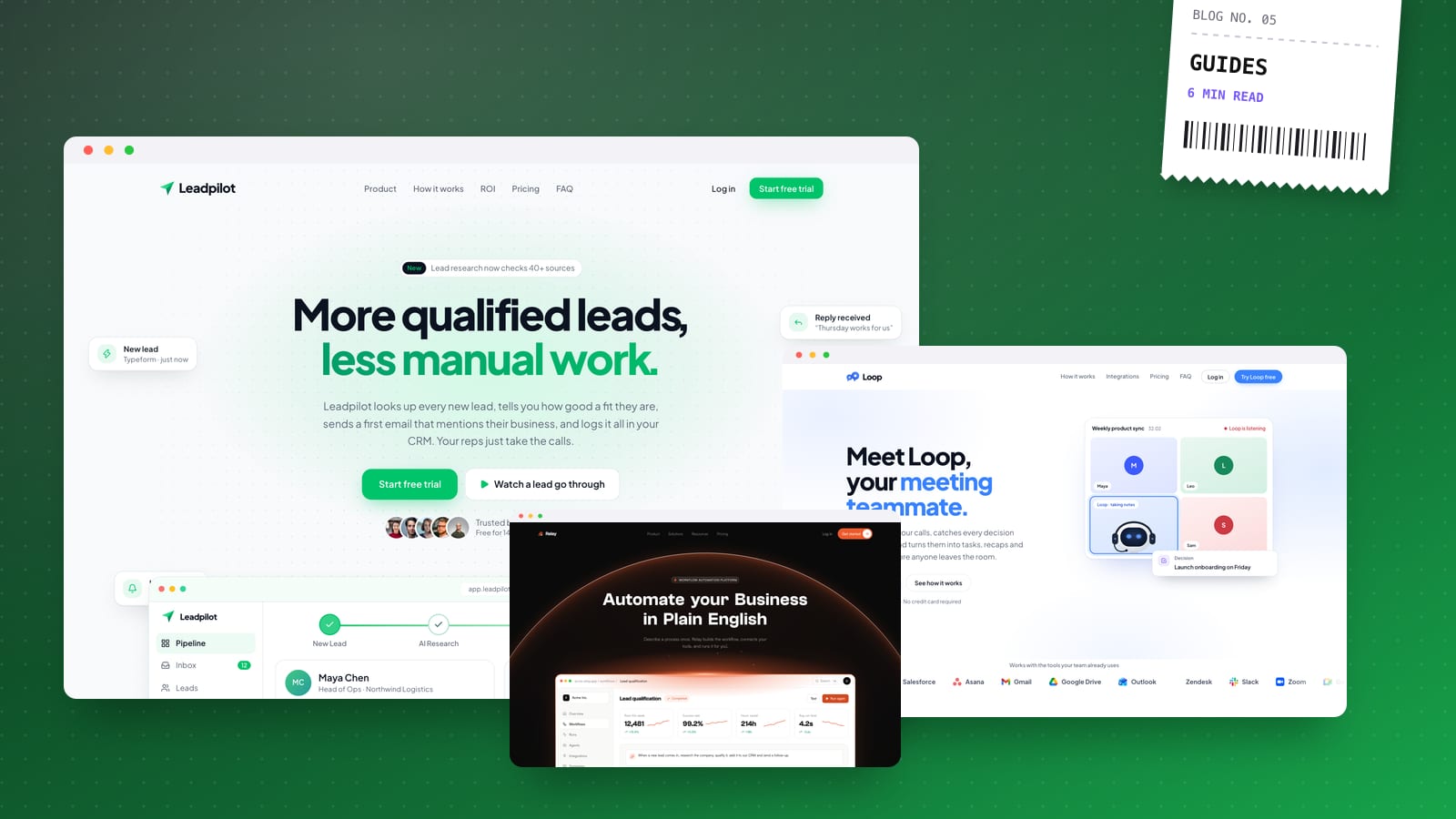
A high-converting landing page has one goal, one audience and one main call to action, and every section moves the visitor closer to it. The structure that works most reliably is: a clear hero, proof, the problem, your solution, benefits, how it works, deeper proof, an offer, objection handling and a final CTA.
That's the skeleton I start from on almost every landing page I design. It isn't a rigid template; some pages need fewer sections, some need them in a different order. But if a page isn't converting, it's usually because one of these is missing, vague or in the wrong place.
Before the sections: one page, one job
The single biggest mistake I see in landing page design is trying to do too much. A homepage serves many audiences. A landing page should serve one visitor, arriving from one source, with one action in mind.
Before designing anything, I write down:
- Who is arriving? From an ad, an email, a social post, a search result?
- What do they already know? Cold traffic needs more context than warm subscribers.
- What's the one action? Join the waitlist, book a call, start a trial, buy, register.
If you can't answer those three, no amount of design polish will fix the page.
The 10 sections of a high-converting landing page
Here's the landing page structure I work from, in the order visitors usually need it.
1. The hero: headline, subheadline and primary CTA
The hero has a few seconds to answer three questions: What is this? Is it for me? What do I do next?
- Headline: state the outcome, not the feature. Specific beats clever.
- Subheadline: one or two lines on how you deliver that outcome and for whom.
- Primary CTA: an action-led button ("Book a demo", "Get early access") rather than "Submit" or "Learn more".
- Visual: a real product shot, a short loop of the product in use, or a photo that shows the result. Avoid generic stock imagery.
Keep the CTA visible without scrolling on both desktop and mobile.
2. Immediate social proof
Directly under the hero, give visitors a reason to believe you. This can be logos of clients or press, a short testimonial, a rating, or a line about who already uses the product. It doesn't need to be big; it needs to be real and specific.
If you're pre-launch and have no proof yet, use credibility you do have: founder background, partners, or a clear guarantee. Never invent it. A consistent, professional brand identity also does a lot of quiet trust-building here.
3. The problem
Describe the visitor's situation in their own words. When people read a problem statement that matches what they're experiencing, they keep reading.
Keep it short: two or three pain points, written plainly. This section earns attention for everything that follows.
4. The solution
Now introduce your product or service as the answer to that specific problem. One clear sentence on what it is, followed by a visual that shows it. Resist the urge to list every feature here; that comes next.
5. Benefits (framed as outcomes)
Most landing pages list features. High-converting landing pages translate features into outcomes.
- Feature: "Automated reminders." Benefit: "Fewer no-shows without chasing clients."
- Feature: "Real-time dashboard." Benefit: "Know where every order is without opening a spreadsheet."
I usually design this as three to six short blocks with a bold benefit line, one sentence of explanation, and an icon or small visual. Scannable beats exhaustive.
6. How it works
Reduce perceived effort. Show the process in three or four numbered steps, from signing up to getting the result. This works especially well for services and for products that feel complicated.
For example, my own process is short enough to fit in one line: a 30-minute call, a fixed-price proposal within a day, design in Figma with two rounds of edits, then build and launch with 30 days of support. When visitors can picture the steps, committing feels smaller.
7. Deeper proof: testimonials, case studies, results
By this point visitors are interested but cautious. This is where fuller testimonials, short case studies, before-and-after examples or demo videos belong.
The best testimonials are specific: they mention a problem, a result and ideally a name, role and photo. Three strong, detailed testimonials beat twelve vague ones.
8. The offer and pricing
Make it obvious what someone gets and what it costs (or that it's free). If you have tiers, keep them few and highlight the one most people should choose. If pricing is custom, say what affects it and what the next step is.
Clarity here removes a big source of hesitation. Hidden pricing often just sends people to a competitor who shows theirs.
9. Objection handling: the FAQ
Every visitor arrives with doubts: Will it work for me? How long does it take? What if I want to cancel? Is my data safe? A concise FAQ answers these before they become reasons to leave.
Use real questions from sales calls, support emails and DMs. Keep answers short and direct. A good FAQ also helps SEO, because it naturally covers the phrases people search for.
10. The final CTA
Close with a full-width section that restates the main promise and repeats the primary CTA. Add a line that lowers the risk, such as "No card required", "Cancel anytime" or "Reply within one working day".
Visitors who scroll this far are your most engaged audience. Don't make them scroll back up to act.
Design details that lift conversion
Structure gets you most of the way. These details usually make the rest of the difference:
- Speed. A slow page loses visitors before they see the hero. Compress images, limit heavy scripts and test on mobile data.
- Mobile first. Design the phone layout properly, not as an afterthought. Thumb-friendly buttons, readable type, no tiny tap targets.
- One CTA style. Use a single, consistent primary button. Secondary actions should look secondary.
- Minimal navigation. Removing the full site menu keeps focus on the goal.
- Short forms. Ask only for what you need right now. Every extra field reduces completions.
- Motion with purpose. Subtle animation can guide the eye to key content; too much distracts and slows the page.
- Analytics from day one. Set up analytics and any ad pixels before launch so you can see where people drop off.
- Social previews. A good Open Graph image and title make shared links look trustworthy.
On launch pages I build, analytics, pixels and SEO previews are part of the standard setup, and sections are built so they can be A/B tested later.
How to test and improve your landing page
Launching is the start. A practical improvement loop looks like this:
- Watch where people stop. Scroll depth and session recordings show which sections lose attention.
- Change one big thing at a time. Headlines and offers usually matter more than button colours.
- Give tests enough traffic to see a real difference before deciding.
- Talk to people who didn't convert. Their objections become your next FAQ entries and copy improvements.
If you want to automate follow-ups once someone does sign up, my post on AI automations for small business covers simple workflows worth setting up, and my AI and automation service can wire them into your tools. And before going live, run through the website SEO checklist before launch.
To see these sections working together, look at SilkAI, a landing page built with Studio Duo, and SMILELOUNGE, a one-page clinic redesign. To find out which of the ten sections your current page is missing, try the free website check.
If you're launching a product, running ads or opening a waitlist, book a 30-minute call. I'll look at your offer and audience, then send a fixed-price quote within a day for a page built around one clear goal.