7 AI Automations Every Small Business Should Set Up in 2026
Seven practical AI automations for small business, from lead capture to invoice follow-ups, using Zapier, Make or n8n, plus how to keep a human in the loop.
 Eric Boluwatife
30 March 2026 · 7 min read · Updated 31 October 2026
Why nowNotes from building AI workflow products like Relay and Leadpilot.
The AI automations that pay off fastest for a small business are the boring ones: getting leads into your CRM automatically, drafting first replies, chasing unpaid invoices, turning meeting notes into tasks, repurposing content, triaging your support inbox and building a weekly report. You can set up all seven with tools like Zapier, Make or n8n connected to an AI model such as OpenAI's or Anthropic's Claude, as long as a person still approves anything that goes out to a customer.
I build these systems for founders and small teams. Here's what I'd set up first, how each one works, and where the risks are.
Before you automate: map the work first
The biggest mistake I see is automating the wrong thing. Before building anything, spend an hour listing the tasks your team repeats every week. For each one, note:
- How often it happens (daily, weekly, per lead, per order).
- How long it takes each time.
- How rule-based it is. Could you write the steps on an index card?
- What breaks if it goes wrong. A wrong internal tag is harmless; a wrong invoice amount is not.
The best first candidates are frequent, rule-based and low-risk. Save anything high-stakes or judgement-heavy for later, and always with a human approving the output.
This audit is the first step of every AI and automation project I take on. Often it shows that two or three automations will do most of the work, and the rest isn't worth the maintenance.
Automations for sales and getting paid
1. Lead capture straight into your CRM
Every form on your website, every Instagram or WhatsApp enquiry you log, and every booking should land in one place without anyone copying and pasting.
How it works: a form submission (from Framer, Webflow, Typeform or your own site) triggers the automation. It creates or updates a contact in your CRM (HubSpot, Pipedrive, Airtable or even a well-structured Google Sheet), tags the source, assigns an owner and sends your team a Slack or email alert.
Why it matters: slow follow-up loses deals. When a lead appears in the right place with the right owner within seconds, response time stops depending on who happened to check the inbox.
2. AI lead research and first-reply drafts
Once the lead is in your CRM, an AI step can do the homework a salesperson would otherwise do by hand.
How it works: the automation sends the lead's name, company and message to an AI model with a clear prompt. It summarises what the company does (from their website or the details they gave), scores how well they fit your ideal customer and drafts a personalised first reply. The draft lands in your CRM or email drafts folder for someone to review, edit and send.
The rule I insist on: the AI drafts, a human sends. Models can misread a website, invent a detail or strike the wrong tone. A ten-second review catches that.
3. Invoice and payment follow-ups
Chasing payments is awkward, so it gets put off. Automation removes the awkwardness.
How it works: when an invoice is created in your accounting tool or payment platform (Xero, QuickBooks, Stripe, Paystack and similar all support this), the automation schedules polite reminders: a few days before the due date, on the day and after it's overdue. When the payment webhook confirms the money has arrived, the reminders stop and a thank-you goes out. Each step is logged against the client record.
Keep it safe: the automation should never change amounts or issue refunds on its own. It only reminds and records.
Automations for operations, content and reporting
4. Meeting notes into tasks
Most meetings end with decisions that never get written down properly.
How it works: a recording or transcript from Zoom, Google Meet or a note-taking tool is sent to an AI model, which pulls out decisions, action items, owners and deadlines. Those become tasks in Asana, Trello, Notion or ClickUp, and a short summary goes to the attendees.
Tip: ask the model to mark anything it isn't sure about ("owner unclear"), rather than guessing. It's much easier to fix a flagged gap than to spot an invented one.
5. Content repurposing
If you publish a blog post, a video or a podcast episode, most of the work for your social channels is already done.
How it works: when new content is published (an RSS feed, a new YouTube upload or a CMS webhook), the automation sends it to an AI model with your brand voice guidelines in the prompt. It drafts a LinkedIn post, a short X thread, an email newsletter blurb and a few caption options, then saves them to a content calendar for review and scheduling.
What to avoid: auto-posting without review. Repurposed drafts are a starting point, and you'll want to add the opinion and specifics that make content worth reading.
6. Support inbox triage
A shared inbox quickly turns into a pile of mixed questions, complaints, sales enquiries and spam.
How it works: each new email or chat message is classified by an AI model by topic, urgency and sentiment. It's tagged, routed to the right person and, for common questions, given a suggested reply drawn from your help articles or FAQ. Urgent or angry messages are escalated straight to a human.
For businesses with a high volume of repeat questions, the next step is an AI assistant on the website that answers from your own content and hands over to a person when it isn't sure.
7. Weekly reporting
Founders spend too many Monday mornings pulling numbers from five dashboards.
How it works: on a schedule, the automation pulls key figures from your analytics, CRM, payment platform and ad accounts into one sheet or dashboard. An AI step writes a short plain-English summary of what changed and what looks unusual, and sends it to Slack or email.
The trick: the numbers come straight from the source systems; the AI only writes the commentary. Never ask a model to calculate your revenue.
Zapier, Make or n8n: which should you use?
All three connect your apps and can call AI models. The right choice depends on your team and volume.
- Zapier is the easiest to start with and has the largest library of app connections. It's great for simple, linear workflows. Costs can climb as task volume grows.
- Make is more visual and handles branching logic, loops and data transformation well. It's often better value for more complex workflows.
- n8n is open-source and can be self-hosted, which gives you more control over data and cost at higher volumes. It suits teams comfortable with a little more technical setup.
When off-the-shelf connectors aren't enough, I write custom code against the APIs directly, sometimes as part of a larger web app or internal tool.
Risks, and how to keep a human in the loop
AI automation is powerful, but it can fail quietly. These are the guardrails I build in by default.
- Human approval for anything customer-facing. Drafts, not sends. Suggestions, not decisions.
- No AI control over money, permissions or records. AI can summarise and draft; it shouldn't move money, change prices or delete data.
- Data privacy. Only send the data the task needs. Check your AI provider's data-use and retention settings, and consider your obligations under laws like Nigeria's Data Protection Act or the GDPR if you have customers in Europe.
- Error alerts. Every automation should notify someone when a step fails, instead of silently dropping a lead.
- Cost limits. AI API usage is billed per use. Set spending caps and monitor them, especially on high-volume flows.
- Documentation. Write down what each automation does, which accounts it uses and who owns it. Automations outlive the person who set them up.
How I'd roll this out
Don't try to build all seven at once. A sensible order looks like this:
- Start with lead capture (1) and payment reminders (3). They're the most rule-based and pay off quickly.
- Add AI drafting (2 and 5) once your data is flowing cleanly, with human review in place.
- Layer in triage (6), meeting notes (4) and reporting (7) as your volume grows.
- Review monthly. Turn off anything nobody uses and tighten prompts where drafts need heavy editing.
If you're also building a new product, my guide on how to plan an MVP web app explains how to design automation into it from the start.
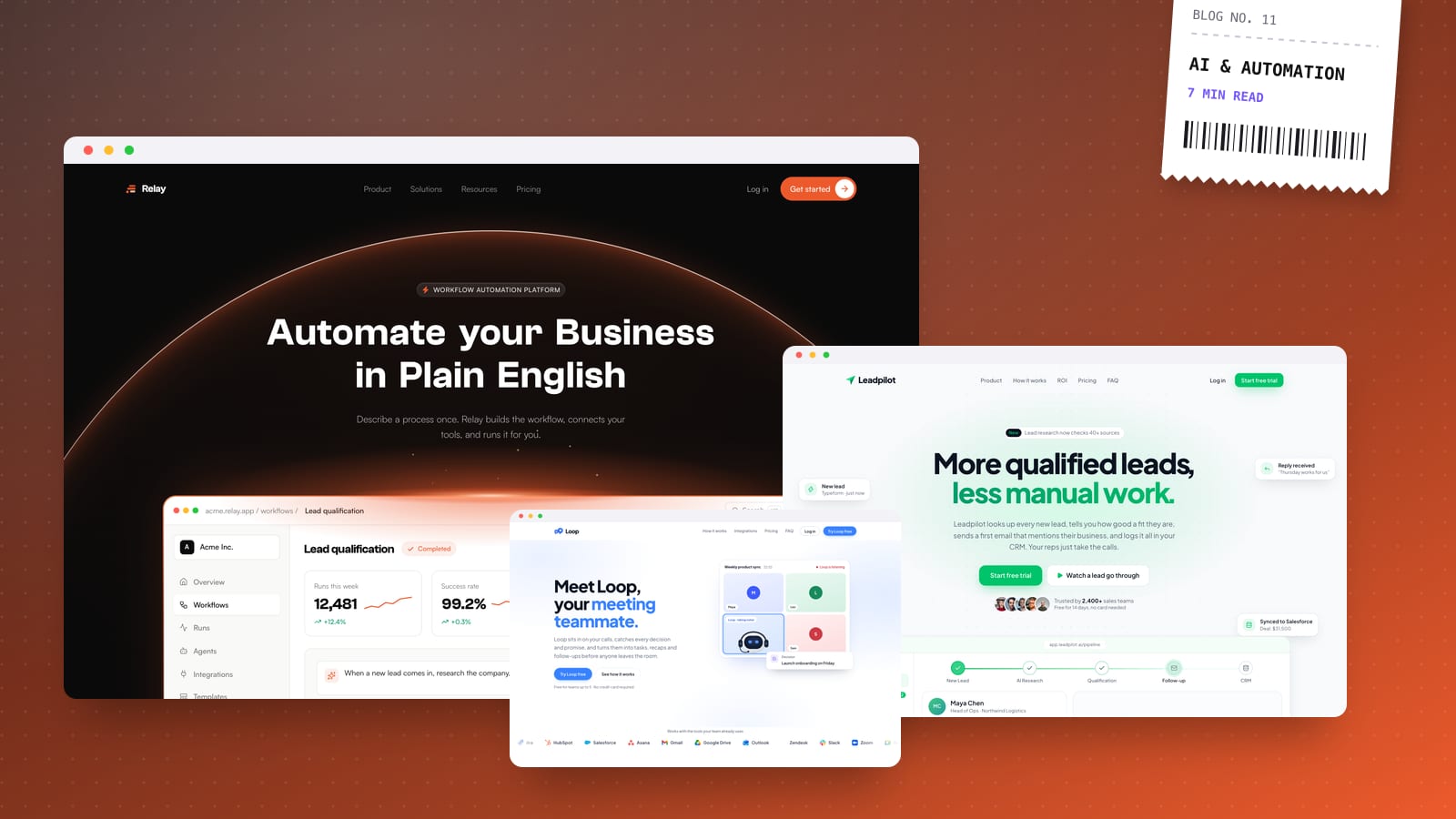
To see what this looks like in a product, Leadpilot is a concept I designed and built for an AI sales assistant that researches leads, scores them and drafts the first email. Most of the automations above are smaller versions of the same idea, and they fit businesses in any industry.
If you'd like to know which of these would save your team the most time, book a 30-minute call. I'll map your current workflow and send a fixed-price proposal within a day.